This entire website is built from a phone. No laptop, no desktop. Just a simple VPS, an AI pair programmer, and a mobile SSH client. Here's how the magic happens.
Social preview: what people see when this site is shared
VPS from OVH
Everything runs on a VPS (Virtual Private Server) from OVH. It's a Linux server in the cloud that's always on and accessible from anywhere.
I chose OVH for their competitive pricing and European data centers. My VPS has 8GB RAM, which is comfortable for hosting websites and running Claude Code.
Why a VPS?
With a VPS, you have a full Linux environment accessible via SSH. Perfect for coding on the go without needing a powerful local machine.
Domain from OVH
The domain name is also registered through OVH, keeping everything in one place. Managing DNS records is straightforward from their control panel.
Point your domain's A record to your VPS IP address, and you're ready to go.
Claude Code
Here's where the magic starts: Claude Code, Anthropic's AI coding assistant that runs directly in the terminal. It can read files, write code, run commands, and configure entire systems.
# Install Claude Code (requires Node.js)

                    npm install -g @anthropic-ai/claude-code


                    # Start coding

                    claude
With Claude Code installed, I simply asked it to set up a web server. And it did everything automatically.
The Mobile Workflow
Termius connects to the VPS via SSH from my phone. Typeless converts speech to text, so I can dictate code and commands. Together with Claude Code, it's a complete mobile development environment.
GitHub
All code is versioned with GitHub. It's the safety net for every project. If something breaks, I can always roll back. And it keeps a history of everything I build.
Claude Code handles git commands naturally. I just say "commit this" or "push to GitHub" and it takes care of the rest.
Why GitHub?
Version control is essential, even for solo projects. GitHub makes it easy to track changes, collaborate, and showcase your work to the world.
Nginx (configured by Claude Code)
I asked Claude Code to set up a web server, and it installed and configured Nginx automatically. No manual config files to write.
Claude Code handled the installation, created the site configuration, set up the proper file permissions, and started the service. All I did was describe what I wanted.
SSL Certificate (configured by Claude Code)
Same story for HTTPS. Claude Code installed Certbot, obtained a free SSL certificate from Let's Encrypt, and configured Nginx to use it. Auto-renewal included.
The site went from HTTP to HTTPS with a simple request. No googling commands, no debugging config files.
This is Vibe Coding
Describe what you want. Let the AI handle the implementation details. Focus on ideas, not syntax. That's the whole point.
Termius
Termius is the bridge between my phone and the VPS. It's a powerful SSH client that works beautifully on mobile devices.
The interface is clean, the connection is stable, and it saves my server credentials securely. I can connect to my VPS from anywhere in seconds.
Typeless
Typing code on a phone keyboard? No thanks. Typeless is a speech-to-text app that lets me dictate everything. Commands, code, commit messages.
I speak naturally, and Typeless converts it to text that I paste into Termius. It's surprisingly accurate, even with technical terms.
The Final Piece
Typeless removes the biggest friction of mobile coding: the keyboard. Combined with Claude Code's understanding of natural language, I can describe what I want and watch it happen.
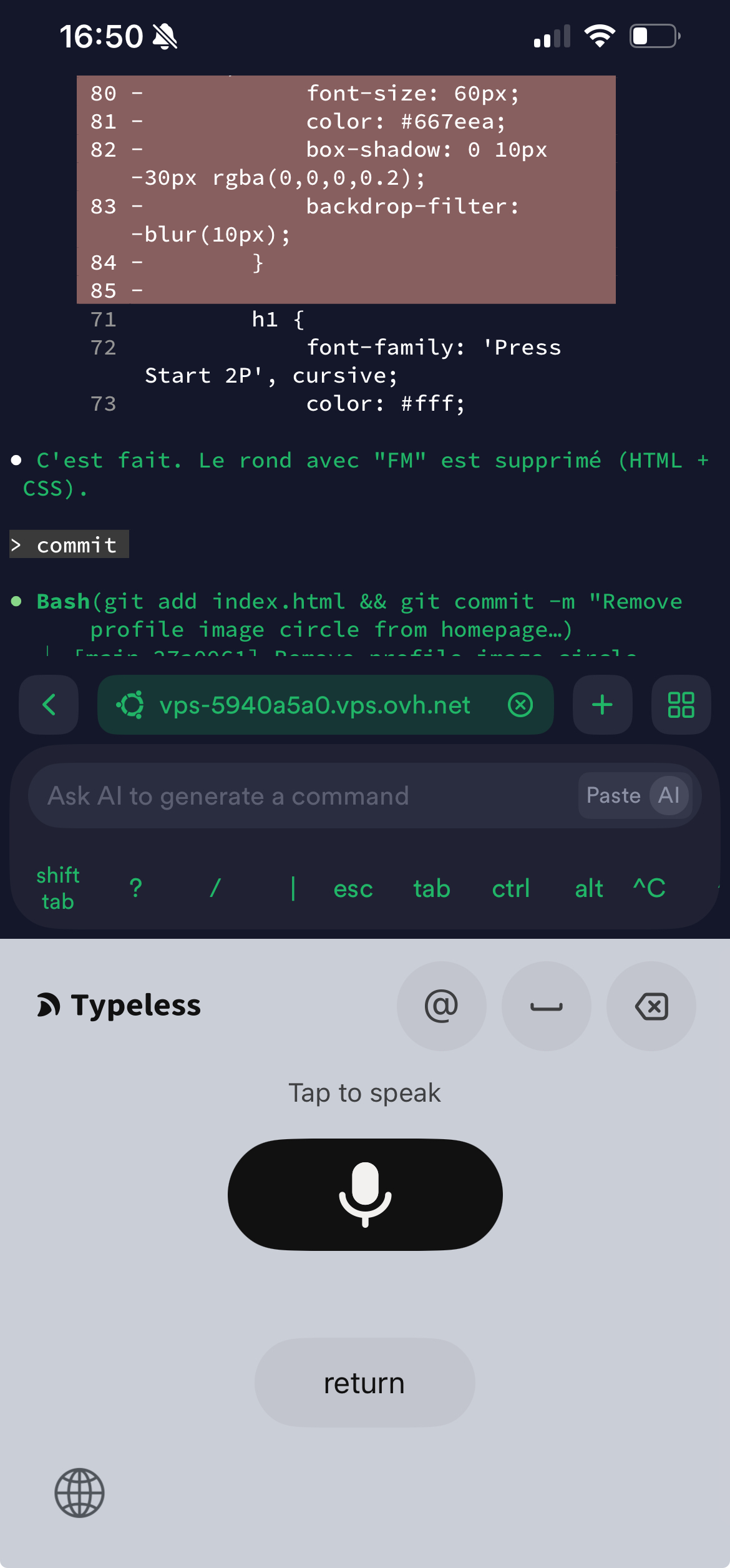
Termius + Typeless: the mobile coding setup in action
How did this photo get here?
I took this screenshot on my phone, then used iOS Share → Save to Files to make it accessible. In Termius, I opened the SFTP tab, connected to my VPS, and uploaded the image. Then I asked Claude Code: "Add this photo to the Setup page." It moved the file to an images folder, added the HTML, and committed everything. That's the workflow.
That's it. A VPS, a domain, GitHub, Nginx, SSL, Claude Code, Termius, and Typeless. Everything needed to build and ship projects from anywhere, from your phone.